
ASUS
ROG Strix G16 (2025)
A 2025 gaming laptop with a 16-inch 165Hz display and RTX 5060 graphics for high-frame-rate play.
165 Hz
Score 9.0 out of 10Excellent
Well reviewed · Budget
Gaming laptops compared by GPU performance, display, and cooling. Aggregated product ranking, refreshed weekly.
278 models in the source rankings · 11 products listed · Updated November 20, 2026
ASUS
A 2025 gaming laptop with a 16-inch 165Hz display and RTX 5060 graphics for high-frame-rate play.
165 Hz
Score 9.0 out of 10Excellent
Well reviewed · Budget

Acer
Score 8.6 out of 10Very good
Popular

ASUS
Score 8.8 out of 10Very good
Popular
Each mark is one product, placed by its score out of 10

165 Hz · Highly reviewed · Premium
Score 9.8 out of 10
Score 9.8 out of 10

100W · Highly reviewed · Budget
Score 9.7 out of 10
Score 9.7 out of 10

240 Hz · Highly reviewed · Premium
Score 9.6 out of 10

115W · 165 Hz · Wi-Fi · Highly reviewed · Mid range
Score 9.6 out of 10
Score 9.6 out of 10

240 Hz · Wi-Fi · Well reviewed · Premium
Score 9.5 out of 10

120 Hz · Highly reviewed · Budget
Score 9.1 out of 10
Score 9.1 out of 10

165 Hz · Highly reviewed · Mid range
Score 8.9 out of 10
Score 8.9 out of 10

165 Hz · Highly reviewed · Mid range
Score 8.7 out of 10
Score 8.7 out of 10


| Rank | Model | Score | Key feature |
|---|---|---|---|
| 01 | ASUS ROG Strix G16 (2025) | 9.0/10 | 165 Hz |
| 02 | Acer Nitro V 16S Gaming Laptop | 8.6/10 | - |
| 03 | ASUS TUF Gaming F16 Laptop | 8.8/10 | 115W |
| 04 | Lenovo Legion 5i | 9.8/10 | 165 Hz |
| 05 | NIMO 15.6" FHD Light-Gaming-Laptop | 9.7/10 | 100W |
| 06 | msi Crosshair 18 HX AI 18" 2560x1600 240Hz Display Gaming Laptop | 9.6/10 | 240 Hz |
| 07 | Lenovo Legion 5a Gaming Laptop | 9.6/10 | 115W |
| 08 | msi Crosshair A16 HX 16” 2.5K QHD+ 240Hz Gaming Laptop | 9.5/10 | 240 Hz |
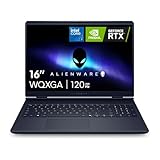
| 09 | Alienware 16 Aurora Gaming Laptop | 9.1/10 | 120 Hz |
| 10 | GIGABYTE AERO X16 | 8.9/10 | 165 Hz |
| 11 | Lenovo LOQ 2026 | 8.7/10 | 165 Hz |
The foundation of any gaming laptop lies in its processor and graphics card. Modern gaming demands powerful GPUs like NVIDIA's RTX series to handle demanding titles at playable frame rates. Look for laptops pairing current-generation processors with dedicated graphics cards rather than integrated solutions for superior performance during intense gaming sessions.
Display refresh rate significantly impacts your gaming experience. A 165Hz or higher refresh rate provides smoother visuals during fast-paced gameplay, reducing motion blur and input lag. Budget-conscious gamers can start with 144Hz displays, while competitive players should prioritize 240Hz panels for maximum responsiveness and visual clarity.
Thermal management and power delivery determine sustained performance during extended gaming marathons. Laptops with robust cooling systems and adequate wattage power supplies maintain consistent frame rates without throttling. Consider models featuring advanced heat dissipation technologies and higher power outputs for reliable, temperature-stable gameplay.
Budget considerations should balance performance needs with longevity. Entry-level gaming laptops start around $500, while premium models exceed $2,400. Mid-range options between $1,000-$1,700 offer excellent value, delivering strong performance for both gaming and productivity tasks without premium pricing.
Each list aggregates published product rankings for its category and lists each product once, in aggregated order.
Scores come from the aggregated rankings. Titles, features and photos come from each product's retailer listing at the last refresh.
Rankings are refreshed every week, so products move up, down or out as the underlying rankings change.
Prices and availability change often. Check the current price before you buy.