
Samsung
49" Odyssey (G93SC) Series QD-OLED Curved Gaming Monitor
Experience the difference with Samsung OLED.
240 Hz
Score 9.7 out of 10Exceptional
Well reviewed · Premium
Gaming monitors compared by refresh rate, resolution, and response time. Aggregated product ranking, refreshed weekly.
672 models in the source rankings · 10 products listed · Updated November 20, 2026
Samsung
Experience the difference with Samsung OLED.
240 Hz
Score 9.7 out of 10Exceptional
Well reviewed · Premium

AOC
Score 9.6 out of 10Exceptional
Popular · Budget

ASUS
Score 9.6 out of 10Exceptional
Well reviewed · Premium
Each mark is one product, placed by its score out of 10

240 Hz · Highly reviewed · Premium
Score 9.6 out of 10

180 Hz · Highly reviewed · Budget
Score 9.5 out of 10

240 Hz · Highly reviewed · Mid range
Score 9.4 out of 10

180 Hz · Highly reviewed · Mid range
Score 9.3 out of 10

180 Hz · Highly reviewed · Budget
Score 9.1 out of 10

200 Hz · Highly reviewed · Budget
Score 9.1 out of 10

180 Hz · Popular · Mid range
Score 8.9 out of 10




| Rank | Model | Score | Key feature |
|---|---|---|---|
| 01 | Samsung 49" Odyssey (G93SC) Series QD-OLED Curved Gaming Monitor | 9.7/10 | 240 Hz |
| 02 | AOC 27" Gaming Monitor QHD 260Hz Overclocked IPS NVIDIA G-SYNC Q27G41ZE | 9.6/10 | 260 Hz |
| 03 | ASUS ROG XG27AQDMGR 27 Inch 1440p 240Hz Glossy OLED HDR Gaming Monitor | 9.6/10 | 240 Hz |
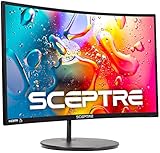
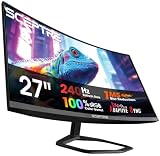
| 04 | Sceptre Curved 34-inch Prime Gaming Monitor 3440 x 1440 up to 240Hz 1500R 1ms | 9.6/10 | 240 Hz |
| 05 | Samsung 27" Odyssey G5 (G51F) Series QHD (1440P) Gaming Monitor | 9.5/10 | 180 Hz |
| 06 | SANSUI 32 Inch Curved 240Hz Gaming Monitor High Refresh Rate | 9.4/10 | 240 Hz |
| 07 | Sceptre 34-inch Curved ultrawide WQHD Monitor (3440 × 1440) | 9.3/10 | 180 Hz |
| 08 | ASUS TUF Gaming VG27AQ3A 27 Inch 1440p 180Hz G-SYNC Gaming Monitor | 9.1/10 | 180 Hz |
| 09 | Sceptre 30-inch Curved Gaming Monitor 21:9 2560x1080 Ultra Wide/ Slim HDMI | 9.1/10 | 200 Hz |
| 10 | Samsung 32" Odyssey G5 (G51F) QHD 180Hz Gaming Monitor | 8.9/10 | 180 Hz |
Refresh rate is crucial for competitive gaming. Higher hertz (Hz) means smoother motion and faster response times. Most serious gamers prefer 144 Hz minimum, while 240 Hz monitors deliver ultra-fluid gameplay for fast-paced titles. Budget options at 100-165 Hz still provide excellent performance for casual and mid-level play.
Resolution and panel type significantly impact your visual experience. Consider whether you prioritize sharp detail or raw speed. IPS panels offer superior color accuracy and viewing angles, while TN panels deliver faster response times. Match your graphics card capability to your monitor's demands for optimal performance without bottlenecking.
Screen size and viewing distance matter more than you think. A 24-inch monitor suits competitive esports players sitting close, while 27-inch displays work better for immersive single-player games. Larger screens can cause eye strain if positioned too near, so measure your typical viewing distance before purchasing.
Budget alignment ensures you get genuine value. Entry-level models under $110 handle casual gaming well, mid-range options ($130-$280) balance performance and features, while premium monitors ($300+) include advanced technologies like HDR support and specialized gaming modes for serious enthusiasts.
Each list aggregates published product rankings for its category and lists each product once, in aggregated order.
Scores come from the aggregated rankings. Titles, features and photos come from each product's retailer listing at the last refresh.
Rankings are refreshed every week, so products move up, down or out as the underlying rankings change.
Prices and availability change often. Check the current price before you buy.