
Razer
DeathAdder V3 Pro Wireless Gaming Mouse
Flawless tracking performance on a wider variety of surfaces including glass—supported by intelligent functions for enhanced aim and control
Score 9.7 out of 10Exceptional
Highly reviewed · Mid range
Gaming mice evaluated by sensor accuracy, ergonomics, and customization. Aggregated product ranking, refreshed weekly.
1,782 models in the source rankings · 10 products listed · Updated November 20, 2026
Razer
Flawless tracking performance on a wider variety of surfaces including glass—supported by intelligent functions for enhanced aim and control
Score 9.7 out of 10Exceptional
Highly reviewed · Mid range
Razer
Score 9.7 out of 10Exceptional
Well reviewed · Budget

Logitech G
Score 9.5 out of 10Exceptional
Highly reviewed · Premium
Each mark is one product, placed by its score out of 10

Well reviewed · Premium
Score 9.4 out of 10

8000 Hz · Highly reviewed · Premium
Score 9.4 out of 10

Highly reviewed · Mid range
Score 9.3 out of 10

1000 Hz · Highly reviewed · Mid range
Score 9.2 out of 10

Well reviewed · Budget
Score 9.0 out of 10

Well reviewed · Budget
Score 8.8 out of 10

Highly reviewed · Budget
Score 8.7 out of 10


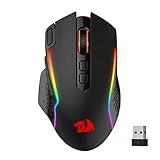


| Rank | Model | Score | Key feature |
|---|---|---|---|
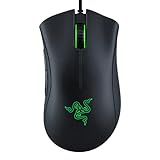
| 01 | Razer DeathAdder V3 Pro Wireless Gaming Mouse | 9.7/10 | Up to 90 hours of continuous play per charge |
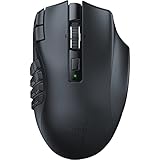
| 02 | Razer Naga V2 HyperSpeed Wireless MMO Gaming Mouse | 9.7/10 | 19 programmable buttons |
| 03 | Logitech G PRO X3 SUPERSTRIKE Gaming Mouse | 9.5/10 | HERO 2 sensor with up to 48,000 DPI |
| 04 | Logitech G PRO X2 SUPERSTRIKE Wireless Gaming Mouse | 9.4/10 | 61g lightweight body |
| 05 | Razer Viper V4 Pro Wireless Esports Gaming Mouse | 9.4/10 | 8000 Hz |
| 06 | Logitech G502 X Plus Wireless RGB Gaming Mouse | 9.3/10 | - |
| 07 | CORSAIR SCIMITAR ELITE WIRELESS SE MMO MOBA PC Gaming Mouse | 9.2/10 | 1000 Hz |
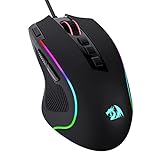
| 08 | Razer Basilisk V3 Customizable RGB Wired Ergonomic Gaming Mouse | 9.0/10 | 26K DPI optical sensor |
| 09 | Razer Viper V3 HyperSpeed Wireless PC Gaming Mouse | 8.8/10 | - |
| 10 | Razer Basilisk V3 X HyperSpeed Customizable Wireless Gaming Mouse | 8.7/10 | - |
Selecting the right gaming mouse depends on your play style and genre preferences. FPS gamers prioritize accuracy and speed, while MOBA players benefit from precise click response. Consider your grip style—palm, claw, or fingertip—as this affects comfort during extended sessions. Budget ranges from budget-friendly options under $25 to premium models exceeding $150 with advanced features.
Polling rate is crucial for competitive gaming, with 1000 Hz being the industry standard for most modern mice. This means the mouse reports its position 1000 times per second, providing near-instantaneous response. Higher-end models may offer adjustable polling rates for flexibility. For casual gaming, standard polling rates are sufficient, but competitive players should prioritize this specification.
Weight and ergonomic design significantly impact performance and comfort. Lighter mice reduce fatigue during marathon sessions, while heavier options provide stability. Right-handed and ambidextrous designs cater to different preferences. Grip texture, side button placement, and cable management all influence your gaming experience. Try to test mice if possible, as comfort is subjective and crucial for long-term use.
Additional features include customizable DPI settings, programmable buttons, and RGB lighting. Some gaming mice offer wireless connectivity with minimal latency, eliminating cable drag. Software integration allows personalization of sensitivity profiles for different games. When comparing prices, consider the total package—a mid-range mouse with excellent reviews might outperform pricier competitors lacking real-world testing validation.
Each list aggregates published product rankings for its category and lists each product once, in aggregated order.
Scores come from the aggregated rankings. Titles, features and photos come from each product's retailer listing at the last refresh.
Rankings are refreshed every week, so products move up, down or out as the underlying rankings change.
Prices and availability change often. Check the current price before you buy.