Best Laptop Speakers

External laptop speakers compared by sound quality, portability, and connectivity. Aggregated product ranking, refreshed weekly.

1,743 models in the source rankings · 10 products listed · Updated November 20, 2026

This week's ranking

Score spread

Each mark is one product, placed by its score out of 10

01
7.510
  1. Rank 1: Score 9.8 out of 10
  2. Rank 2: Score 9.6 out of 10
  3. Rank 3: Score 9.5 out of 10
  4. Rank 4: Score 9.3 out of 10
  5. Rank 5: Score 9.2 out of 10
  6. Rank 6: Score 9.1 out of 10
  7. Rank 7: Score 9.0 out of 10
  8. Rank 8: Score 8.9 out of 10
  9. Rank 9: Score 8.8 out of 10
  10. Rank 10: Score 8.7 out of 10

Related products

Top picks

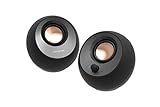
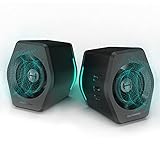
  1. Rank 1Edifier G2000 32W PC Gaming Computer Speakers for Laptop Mac Desktop Computer32W
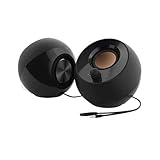
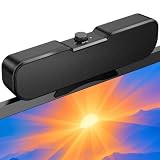
  2. Rank 2Nylavee Computer Speakers4 pieces · 4 speaker units and 2 independent bass diaphragms · Bluetooth 5.0 and 3.5mm AUX wired connection
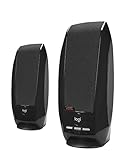
  3. Rank 3Logitech Z207 Stereo Computer Speakers10W

At a glance

Buyer's guide: how to choose laptop speakers

When selecting laptop speakers, consider your primary use case first. Music enthusiasts and content creators benefit from higher wattage models delivering richer audio depth, while casual users may find compact, budget-friendly options sufficient for video calls and streaming. Identify whether portability or sound quality matters most to your daily workflow before comparing specifications.

Power output measured in watts directly impacts volume capability and audio clarity. Entry-level speakers range from 3-8W, ideal for personal use in quiet environments. Mid-range models offer 12-60W for better room coverage and dynamic sound. Premium options exceed 80W, delivering theater-like experiences for professional audio work and entertainment enthusiasts seeking immersive listening.

Connectivity options vary significantly across products. USB connections provide plug-and-play convenience without driver installation, while Bluetooth models offer wireless freedom for flexible desk setups. Evaluate your laptop's available ports and preferred placement distance. Some speakers include aux inputs for gaming consoles or tablets, expanding versatility beyond laptop use alone.

Budget considerations range from under $20 for basic functionality to $90 for professional-grade performance. Higher prices typically correlate with superior build quality, extended warranty coverage, and enhanced sound engineering. Mid-range speakers between $30-60 often deliver excellent value, balancing performance improvements with reasonable investment. Read user reviews focusing on long-term durability and customer support experiences.
Frequently asked questions

What wattage do I need for laptop speakers?
Most laptop users find 8-12W sufficient for personal listening and video calls. If you frequently enjoy music or gaming, consider 30-60W for better dynamics. Professional audio work demands 80W+ models. Actual perceived volume depends on speaker quality, room size, and placement, not wattage alone.
Are USB-powered speakers better than Bluetooth?
USB speakers offer reliable, lag-free audio with consistent power delivery, perfect for productivity tasks. Bluetooth provides wireless convenience and aesthetic cleanliness. Neither is universally superior—choose based on your desk setup, portability needs, and whether you value cable-free operation over guaranteed connectivity.
Can laptop speakers replace external monitors for gaming?
Quality laptop speakers significantly enhance gaming immersion compared to built-in laptop audio. However, gaming headphones or dedicated surround-sound systems deliver superior directional audio cues. External speakers work best for casual gaming, while competitive gamers typically prefer headsets for spatial awareness and communication clarity.
How do I prevent audio distortion from laptop speakers?
Distortion typically occurs when volume settings exceed 80% on lower-wattage models. Keep system volume moderate and avoid maximum settings during quiet passages. Higher-wattage speakers handle volume better. Ensure speakers sit on stable surfaces away from vibrating objects, and check driver updates for optimal audio processing.
What's the difference between passive and active speakers?
Active speakers contain built-in amplifiers, requiring only audio input and power connection. Passive speakers need external amplifiers, adding complexity but offering flexibility. For laptops, active speakers are standard and recommended because they're self-contained, more affordable, and eliminate compatibility complications.

Glossary: key terms

Wattage (W)
Measures electrical power consumption and audio amplification capacity. Higher wattage typically enables louder, clearer sound with less distortion at maximum volume levels across diverse frequency ranges.
Frequency Response
The range of audio frequencies a speaker reproduces, typically measured in Hertz. Wider ranges (20Hz-20kHz) capture deeper bass and crisp treble for balanced, natural-sounding audio reproduction.
Impedance
Measured in ohms, impedance indicates electrical resistance in speakers. It affects power delivery efficiency and compatibility between speakers and amplifiers, influencing overall audio performance and volume capabilities.
Signal-to-Noise Ratio (SNR)
Compares desired audio signal strength against background electrical noise. Higher SNR values indicate cleaner sound reproduction with minimal hissing, buzzing, or interference during quiet passages and silent moments.

How these rankings work

Aggregated rankings

Each list aggregates published product rankings for its category and lists each product once, in aggregated order.

Listing details

Scores come from the aggregated rankings. Titles, features and photos come from each product's retailer listing at the last refresh.

Refreshed weekly

Rankings are refreshed every week, so products move up, down or out as the underlying rankings change.

Prices and availability change often. Check the current price before you buy.