
JOYEKY
Laptop Stand
JOYEKY Laptop Stand made of high-quality aluminum alloy, the larger heavier base greatly improves the stability of the notebook stand.
Score 9.9 out of 10Exceptional
Highly reviewed · Premium
Laptop stands compared by ergonomics, stability, and adjustability. Aggregated product ranking, refreshed weekly.
1,513 models in the source rankings · 10 products listed · Updated November 20, 2026
JOYEKY
JOYEKY Laptop Stand made of high-quality aluminum alloy, the larger heavier base greatly improves the stability of the notebook stand.
Score 9.9 out of 10Exceptional
Highly reviewed · Premium

tounee
Score 9.8 out of 10Exceptional
Highly reviewed · Premium

LOXP
Score 9.6 out of 10Exceptional
Highly reviewed · Budget
Each mark is one product, placed by its score out of 10

Highly reviewed · Budget
Score 9.4 out of 10
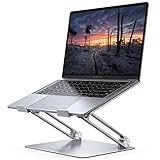
Well reviewed · Mid range
Score 9.4 out of 10
Score 9.4 out of 10
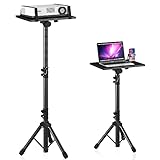
Highly reviewed · Premium
Score 9.2 out of 10

Well reviewed · Mid range
Score 9.1 out of 10

Highly reviewed · Mid range
Score 9.0 out of 10
Score 9.0 out of 10

Highly reviewed · Budget
Score 8.9 out of 10
Score 8.9 out of 10

Highly reviewed · Budget
Score 8.8 out of 10
Score 8.8 out of 10


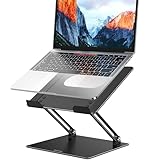


| Rank | Model | Score | Key feature |
|---|---|---|---|
| 01 | JOYEKY Laptop Stand | 9.9/10 | Supports up to 11 lbs |
| 02 | tounee Telescopic Laptop Stand | 9.8/10 | - |
| 03 | LOXP Adjustable Laptop Stand | 9.6/10 | 360° rotating base |
| 04 | Amazon Basics Sturdy and Portable Ergonomic Laptop Stand | 9.4/10 | Adjusts up to 7 inches in height |
| 05 | Lamicall Aluminum Laptop Stand | 9.4/10 | Fits laptops from 10" up to 17.3" |
| 06 | DECOSIS Projector Stand Tripod Laptop Stands Height Adjustable | 9.2/10 | Top tray measures 15" x 11" |
| 07 | OMOTON LA10 360° Rotating Laptop Stand Riser Foldable | 9.1/10 | Rotates 360° without extra desk space |
| 08 | BUYIFY 23.4" Foldable Lap Desk Bed Table | 9.0/10 | - |
| 09 | Gogoonike Adjustable Laptop Stand | 8.9/10 | Supports up to 17.6 lbs (8kg) of weight |
| 10 | BESIGN LS03 Aluminum Laptop Stand | 8.8/10 | Supports up to 8.8 lbs (4kg) |
Laptop stands elevate your screen to eye level, reducing neck and back strain during extended work sessions. The best stands combine portability with stability, allowing you to maintain proper ergonomics whether you're at a desk or working remotely. Consider your workspace setup and how frequently you'll relocate your equipment when evaluating options.
Material quality directly impacts durability and weight capacity. Aluminum stands offer lightweight construction with excellent stability, while plastic options provide budget-friendly alternatives for occasional users. Review the maximum weight your chosen stand can support, especially if you're using a larger or heavier laptop model.
Adjustability features vary significantly across models. Look for stands offering multiple height and angle settings to customize your viewing experience. Collapsible designs maximize portability for travel, while fixed-height models work well for permanent desk setups with minimal space constraints.
Build quality matters when investing in ergonomic accessories. Higher-priced stands often include premium materials and refined engineering, but mid-range options deliver excellent value. Prioritize models with positive user reviews highlighting long-term reliability and non-slip bases that prevent movement during typing.
Each list aggregates published product rankings for its category and lists each product once, in aggregated order.
Scores come from the aggregated rankings. Titles, features and photos come from each product's retailer listing at the last refresh.
Rankings are refreshed every week, so products move up, down or out as the underlying rankings change.
Prices and availability change often. Check the current price before you buy.