Best Monitors

Monitors recommended for work, design, and everyday use. Aggregated product ranking, refreshed weekly.

1,154 models in the source rankings · 10 products listed · Updated November 20, 2026

This week's ranking

Score spread

Each mark is one product, placed by its score out of 10

01
8.510
  1. Rank 1: Score 9.8 out of 10
  2. Rank 2: Score 9.8 out of 10
  3. Rank 3: Score 9.6 out of 10
  4. Rank 4: Score 9.5 out of 10
  5. Rank 5: Score 9.5 out of 10
  6. Rank 6: Score 9.3 out of 10
  7. Rank 7: Score 9.3 out of 10
  8. Rank 8: Score 9.3 out of 10
  9. Rank 9: Score 9.3 out of 10
  10. Rank 10: Score 9.2 out of 10

Related products

Top picks

  1. Rank 1LG 27UP650K-W 27-inch Ultrafine 4K UHD (3840 x 2160) IPS Computer Monitor60 Hz · 27-inch 4K UHD (3840 x 2160) IPS display · Up to 95% DCI-P3 color gamut
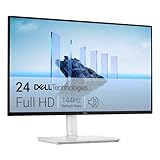
  2. Rank 2HP 24mh FHD Monitor75 Hz · 23.8-inch IPS display, 1920 x 1080 at 75 Hz · Height adjustment with 100mm range of travel
  3. Rank 3Dell 27 Plus QHD Monitor144 Hz

At a glance

Buyer's Guide: How to Choose the Perfect Monitor

Selecting the right monitor depends on your primary use case and budget constraints. Gamers prioritize high refresh rates for smooth motion and reduced input lag, while professionals may need color accuracy and larger screen real estate. Consider your desk space and existing equipment compatibility before making a purchase. Understanding your specific needs ensures you invest in a display that enhances productivity or entertainment value.

Refresh rate significantly impacts viewing experience across different applications. Standard office work functions well at 60-75 Hz, while competitive gaming benefits from 120 Hz and beyond. Higher refresh rates provide smoother scrolling and motion handling, though they come at premium price points. Balance your refresh rate expectations with your actual usage patterns to maximize value and performance gains.

Display resolution determines image sharpness and workspace real estate available for multitasking. Full HD remains popular for budget-conscious buyers, while QHD and 4K options suit content creators and professionals. Larger screens paired with higher resolutions create immersive experiences, but require adequate viewing distance. Match resolution to your monitor size for optimal pixel density and visual comfort during extended use.

Brand reputation and customer satisfaction ratings provide valuable insight into long-term reliability and support quality. Reviews from verified purchasers reveal real-world performance, build quality, and potential issues encountered. Warranty coverage and manufacturer responsiveness should influence your decision, especially for premium investments. Balance price competitiveness with proven track records to secure a monitor that delivers consistent performance.

Frequently asked questions

What refresh rate do I need for gaming?
Competitive gamers benefit from 120 Hz or higher for fluid motion and faster response times. Casual gaming works well at 60-75 Hz. Professional esports players prefer 240+ Hz displays. Your graphics card capability should match your monitor's refresh rate for optimal performance without wasted specifications.
Is a more expensive monitor always better?
Not necessarily. Premium monitors offer advanced features like faster refresh rates or superior color accuracy, but mid-range options deliver excellent value for general use. Assess your specific needs—office work may not require expensive gaming monitors. Many affordable monitors provide outstanding performance and reliability for everyday tasks.
How do I reduce eye strain during long work sessions?
Choose monitors with anti-glare coatings and blue light filters to minimize fatigue. Proper brightness and contrast settings, combined with adequate viewing distance, significantly reduce strain. Take regular breaks following the 20-20-20 rule: every 20 minutes, look 20 feet away for 20 seconds. Higher refresh rates also contribute to reduced eye fatigue.
What size monitor should I buy for my workspace?
Monitor selection depends on desk space and typical viewing distance. 24-27 inches suits most workspaces, offering good visibility without excessive head movement. Larger 32+ inch displays work well for content creation but require additional desk space. Ensure your monitor arm or stand accommodates your chosen size comfortably.
Are curved monitors worth the investment?
Curved displays enhance immersion and reduce image distortion at screen edges, particularly for larger ultrawide monitors. They benefit gaming and content creation but cost more than flat alternatives. For standard office work, curved monitors offer less practical advantage. Consider your usage frequency and budget before choosing curved designs.

Glossary: Essential Monitor Terms

Refresh Rate (Hz)
Measures how many times per second a monitor updates its display image. Higher rates deliver smoother motion and reduced ghosting. Measured in Hertz, with 60 Hz being standard and 120+ Hz preferred for gaming applications.
Response Time
The duration required for pixels to transition between colors, measured in milliseconds. Faster response times reduce motion blur and ghosting artifacts. Critical for gaming monitors, with 1-5ms being excellent, while office displays tolerate 5-10ms easily.
Resolution
Describes the pixel dimensions of a display, such as 1920x1080 (Full HD) or 2560x1440 (QHD). Higher resolutions provide sharper images and more screen real estate. Resolution selection impacts performance requirements and workspace productivity significantly.
Panel Type
Refers to monitor display technology—IPS offers wide viewing angles and color accuracy, TN provides fast response times, and VA delivers superior contrast ratios. Each type suits different applications, from professional work to competitive gaming scenarios.

How these rankings work

Aggregated rankings

Each list aggregates published product rankings for its category and lists each product once, in aggregated order.

Listing details

Scores come from the aggregated rankings. Titles, features and photos come from each product's retailer listing at the last refresh.

Refreshed weekly

Rankings are refreshed every week, so products move up, down or out as the underlying rankings change.

Prices and availability change often. Check the current price before you buy.